
If you are looking for a professional VPN for Windows, Hide It’s a safe choice. This easy-to-use software installs on iOS, Android, Windows, macOS, and Linux, and offers a fast, secure, and lag-free experience.
Why is Hiddify different for Windows?
Due to its network and security sensitivity, Windows requires a professional VPN that ensures high speed and stable connection. Hiddify for Windows offers the following features:
- Fast and stable connection: No interruptions or speed drops
- Support for new protocols: HiddifyManager, V2Ray, VLESS and Reality
- High security: Full data encryption and privacy protection
- Ease of use: Install and connect with just a few clicks
- Compatibility with multiple devices: Ability to use simultaneously on mobile, tablet and computer
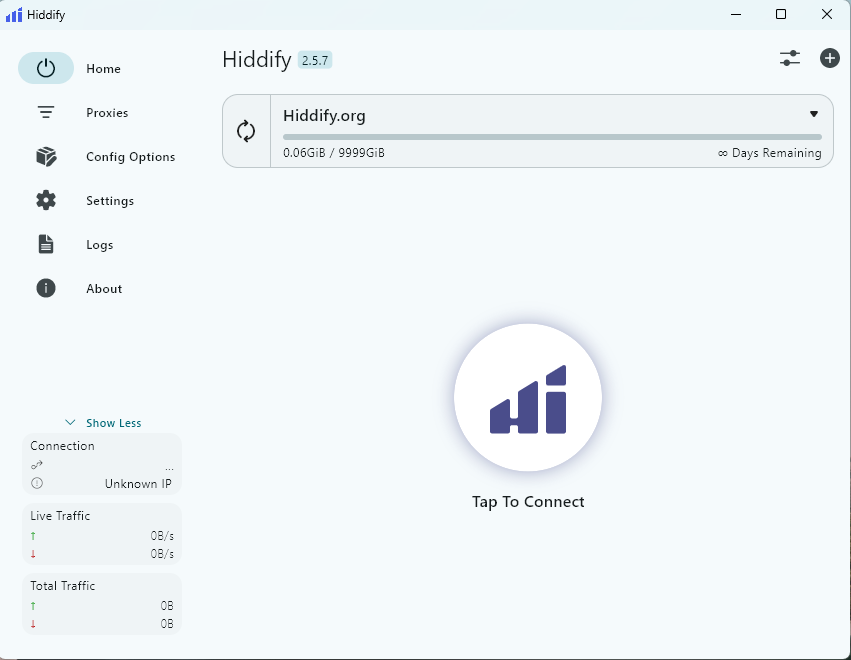
Key Features of Hiddify for Windows
- Connection stability – No worries about interruptions while gaming, video calling, or watching movies
- High speed – Internet without real speed reduction
- Security and privacy – Hidden IP and data encryption
- Bypassing restrictions – Free access to sites and social networks
- Simple control via HiddifyManager – Easy and fast management of settings and connections
How to use Hiddify on Windows
Using Hiddify on Windows is very simple:
- Download and install Hiddify software
- Log in to HiddifyManager or your custom config
- On Connect Click to establish a secure connection.
- Customize speed, server, and protocols
Conclusion
To have a VPN Fast, secure and unlimited on WindowsHiddify offers a stable and reliable experience. Your internet connection with Hiddify will always be secure, fast, and uninterrupted.
If you are looking for a secure and fast experience on Windows, Hiddify is the best option. Download now and enjoy the internet without borders!